OneWorks brings planners, field technicians and customers together in one realtime system. Plan on the board, do the work on the phone, keep the customer informed automatically — and everything that happens lands in the right place right away.
Built for service, maintenance and recurring work · Dutch and English · runs on any phone
Everything a field technician needs, in one app
No more loose lists, chats and receipts. Your technicians open OneWorks in the morning and have everything at hand — even with poor reception.
My day
Tasks in a fixed order with address, route, customer details, specifications and documents.
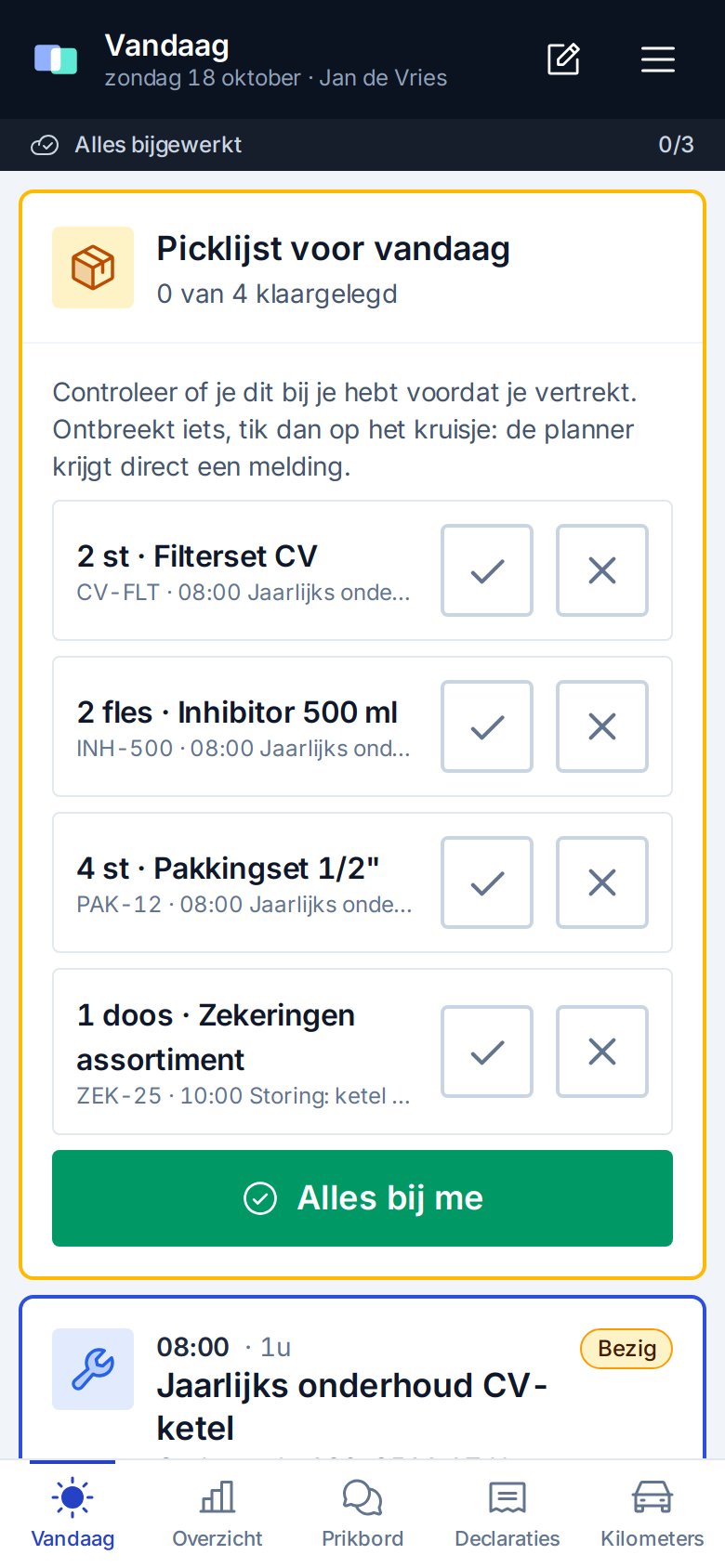
Picklist
What to bring? Tick it off before leaving; if something is missing, the planner knows right away.
Checklists
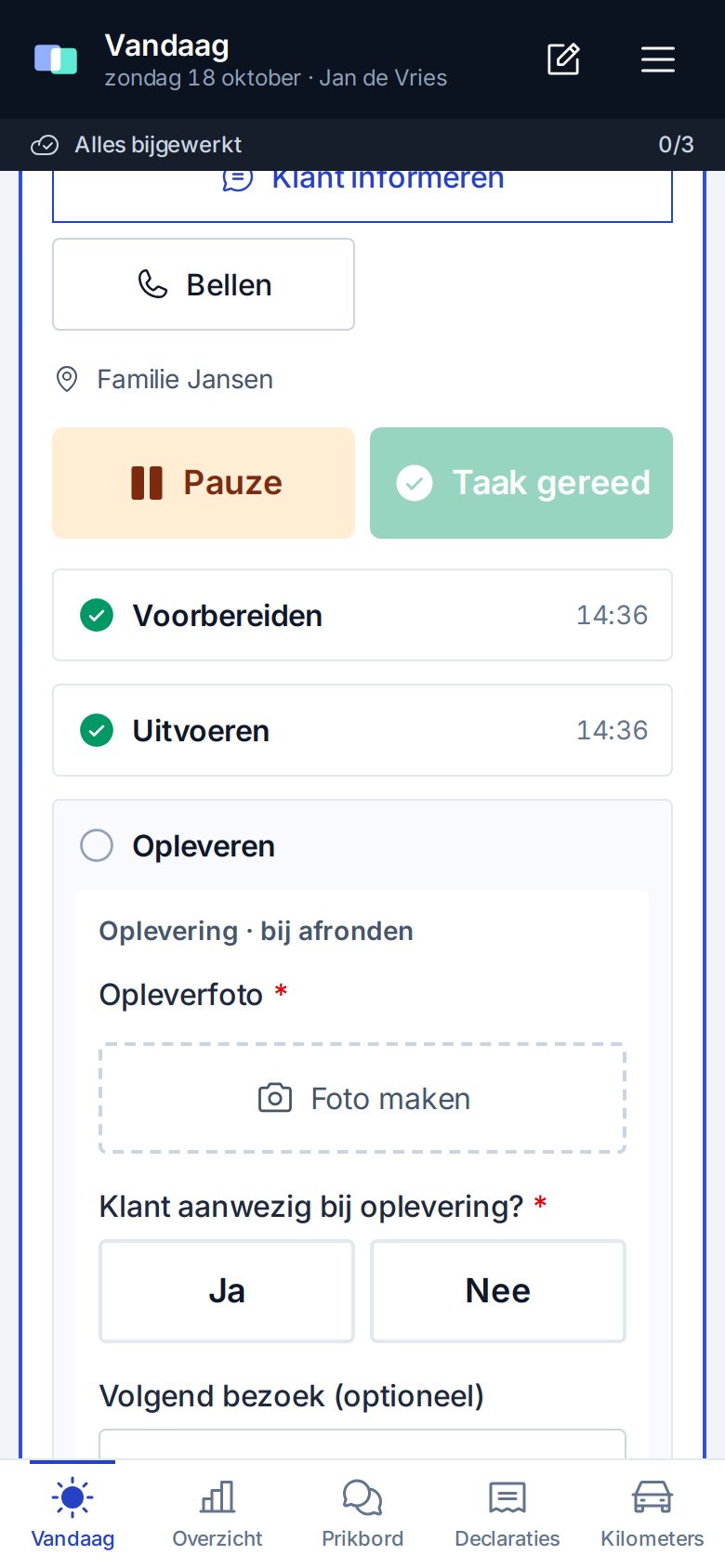
Safety check, measurements, photos and the customer’s signature, step by step.
Inform the customer
One tap: “running 30 minutes late” or “on my way” — standard texts by SMS or e-mail.
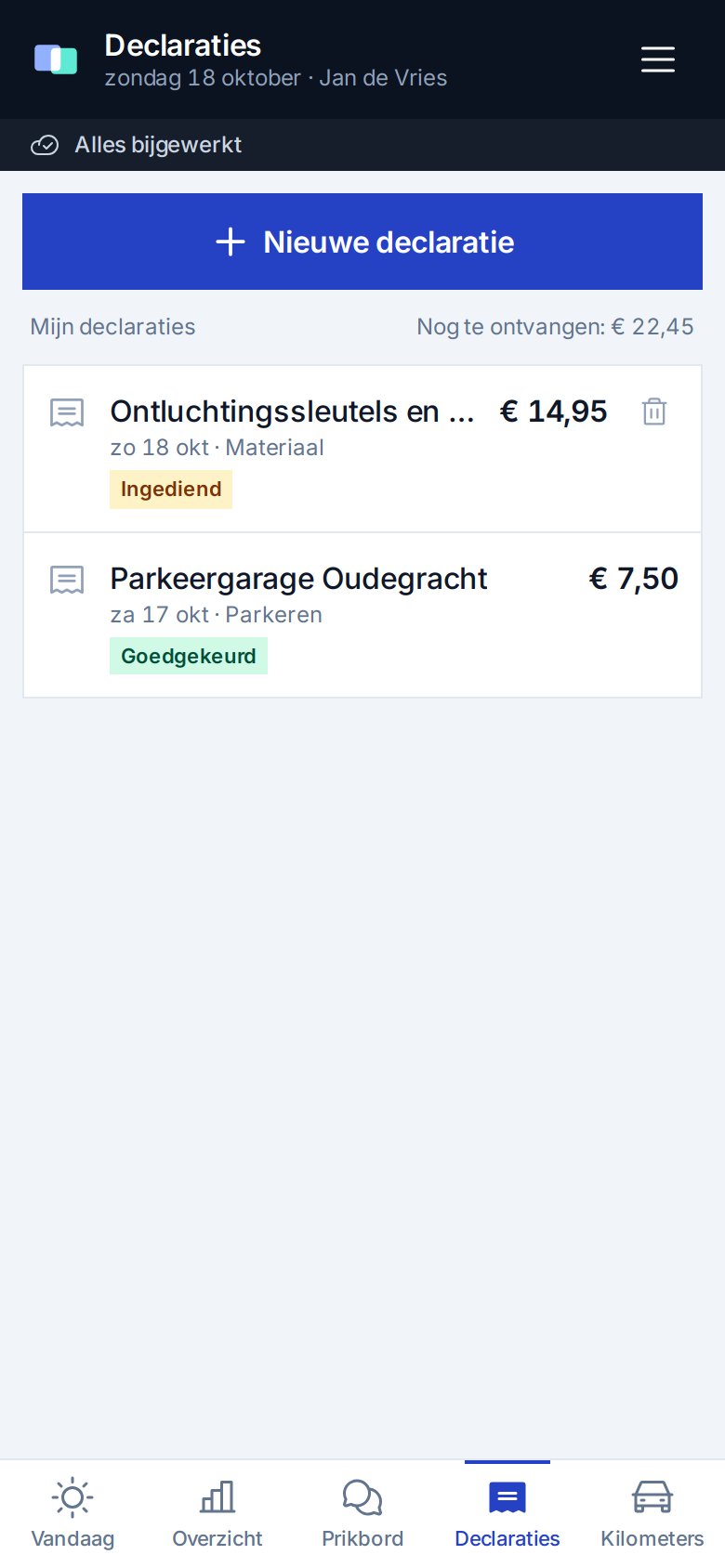
Expenses
Parking, tolls or a small part: amount, photo of the receipt, done. The planner approves.
Mileage
Register trips with one tap on “planned route”, or with odometer readings.
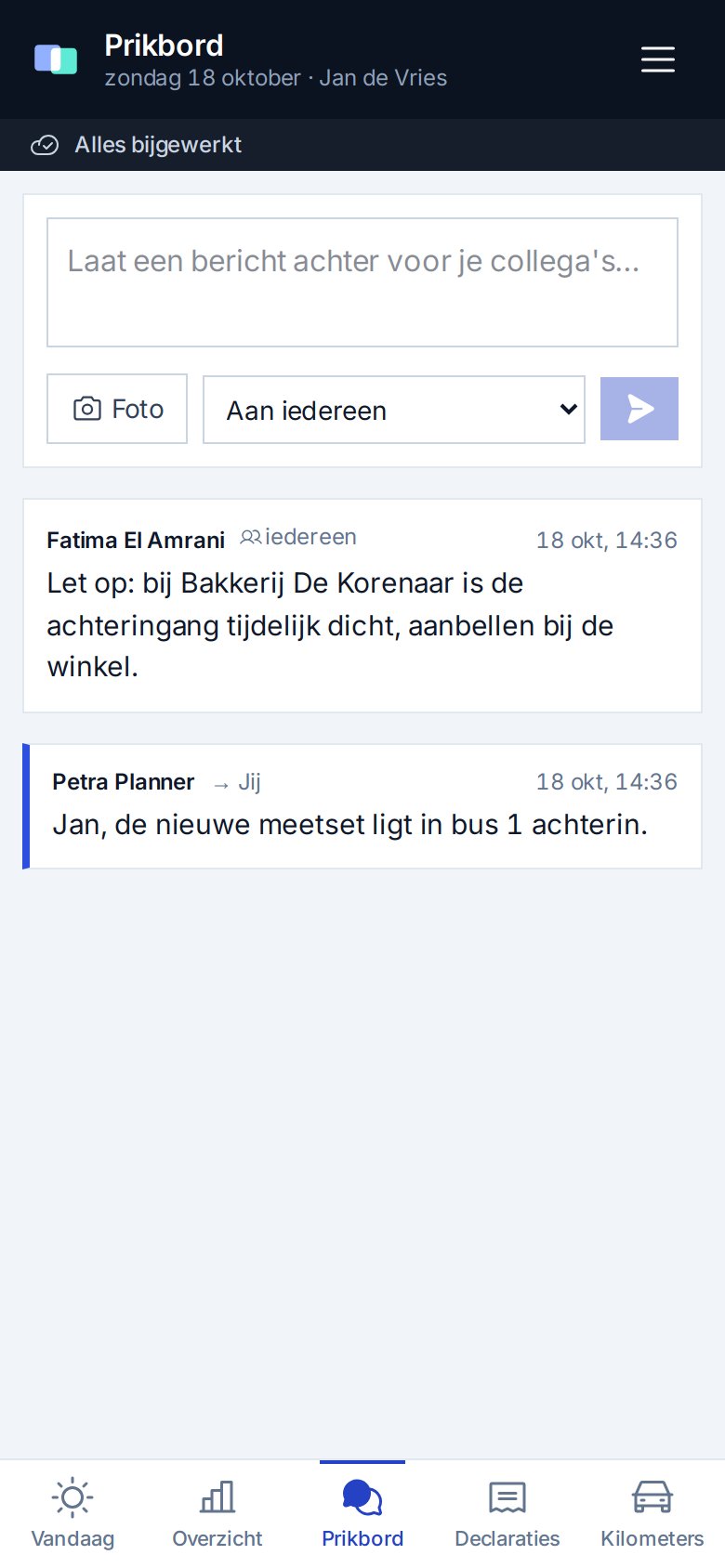
Notice board
Messages with photos for all colleagues or for one colleague.
Push notifications
A new or moved task or a message from the planner appears on screen right away.
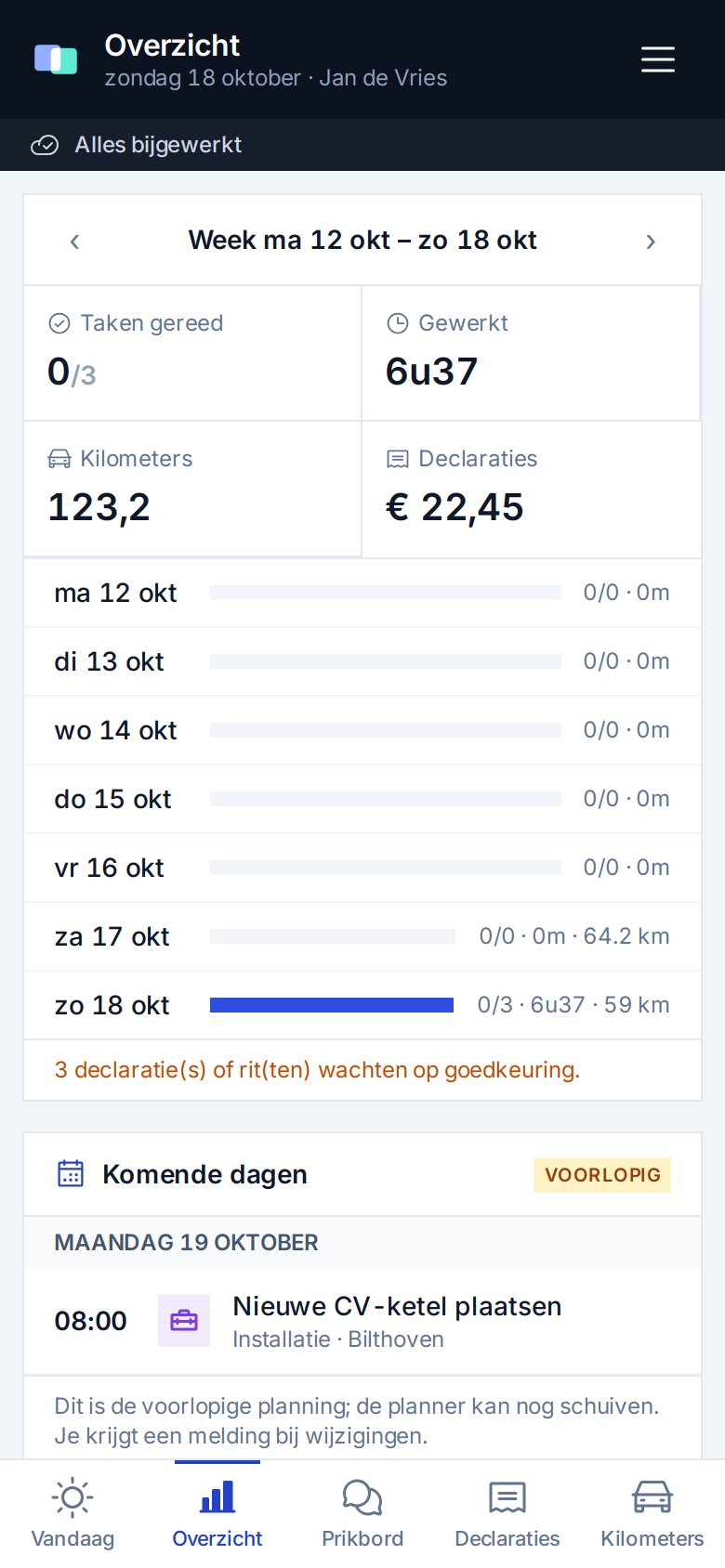
Provisional plan
See what is planned for the coming days, with your hours and kilometres of the week.
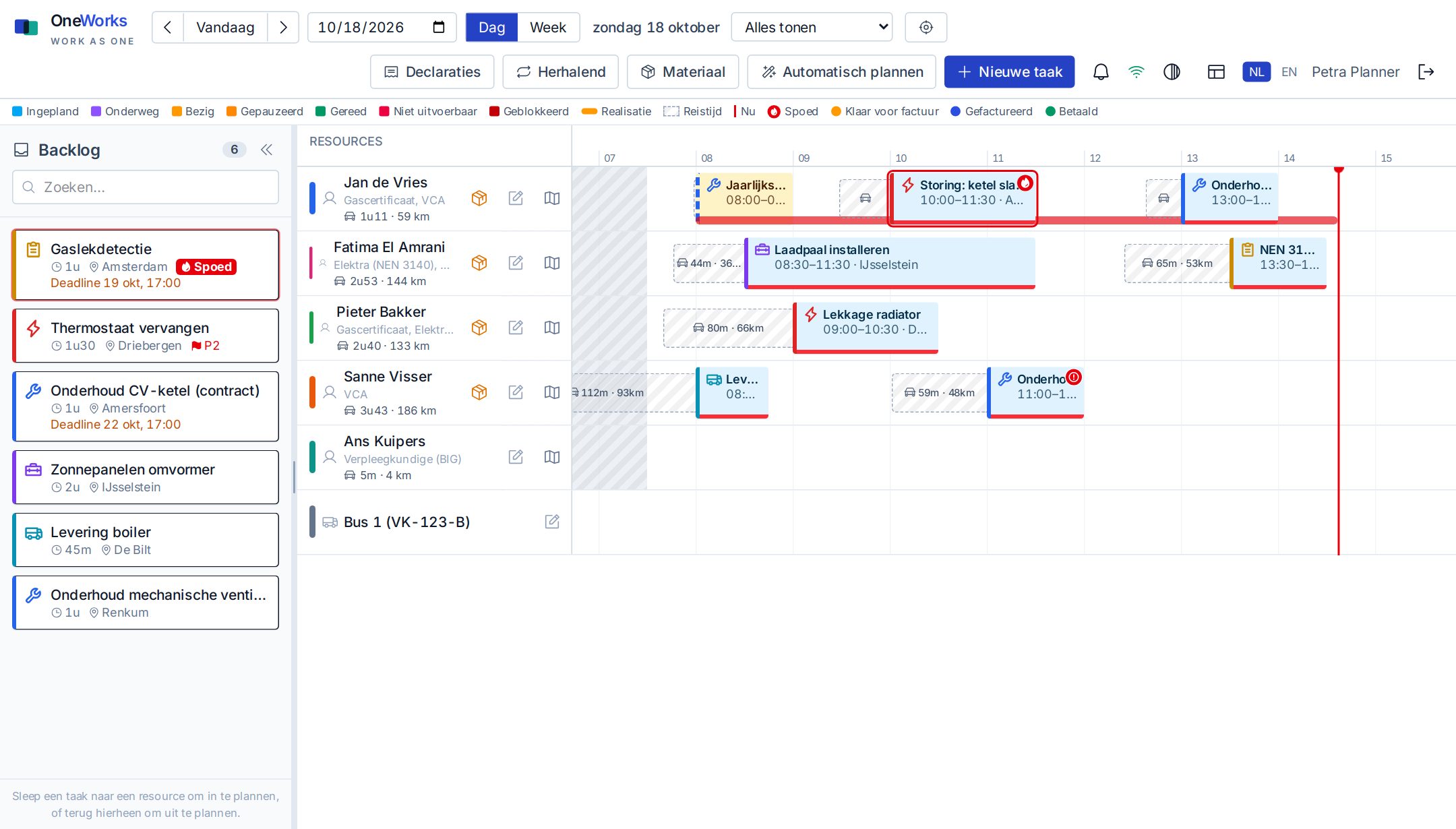
Three kinds of work, one planning board
Most companies mix planned work, unexpected work and fixed rounds. OneWorks handles them all the same way, so nothing falls through the cracks.
Maintenance
Plan contracts and periodic maintenance ahead. Each task type has its steps, checklists, standard material and specifications, so the technician has everything on site.
Maintenance rounds per region with travel time
Measurements and delivery photos per visit
Weekly material demand from the planning
Escalation & urgent work
A breakdown or complaint gets urgent priority and stands out on the board. Smart suggestions show who can be there first, with the right skills and taking travel time into account.
Urgent marking and alerts for the planner
Blocking on unsafe situations (risk check)
Deviations from the plan reported automatically
Recurring work
Daily, on fixed weekdays or every few days — with several moments per day and a time window. OneWorks creates the visits a few weeks ahead.
A preferred person per series
Time window monitored (e.g. 08:00 ± 30 min)
Change a series without losing history
How it works
01
Plan
Tasks come in through the board, the API or a recurring series. Drag them onto a person; conflicts (double booking, skills, availability, deadline, travel time) show while you drag.
02
Do
In the morning your crew sees their picklist and their day. Tasks go in a fixed order: on the way, start, steps with checklists, photos and signature, done. Even with poor reception.
03
Close
Actuals, time spent, material and answers are in the system right away. Completed tasks are ready to invoice; integrations and webhooks pass everything on to your other systems.
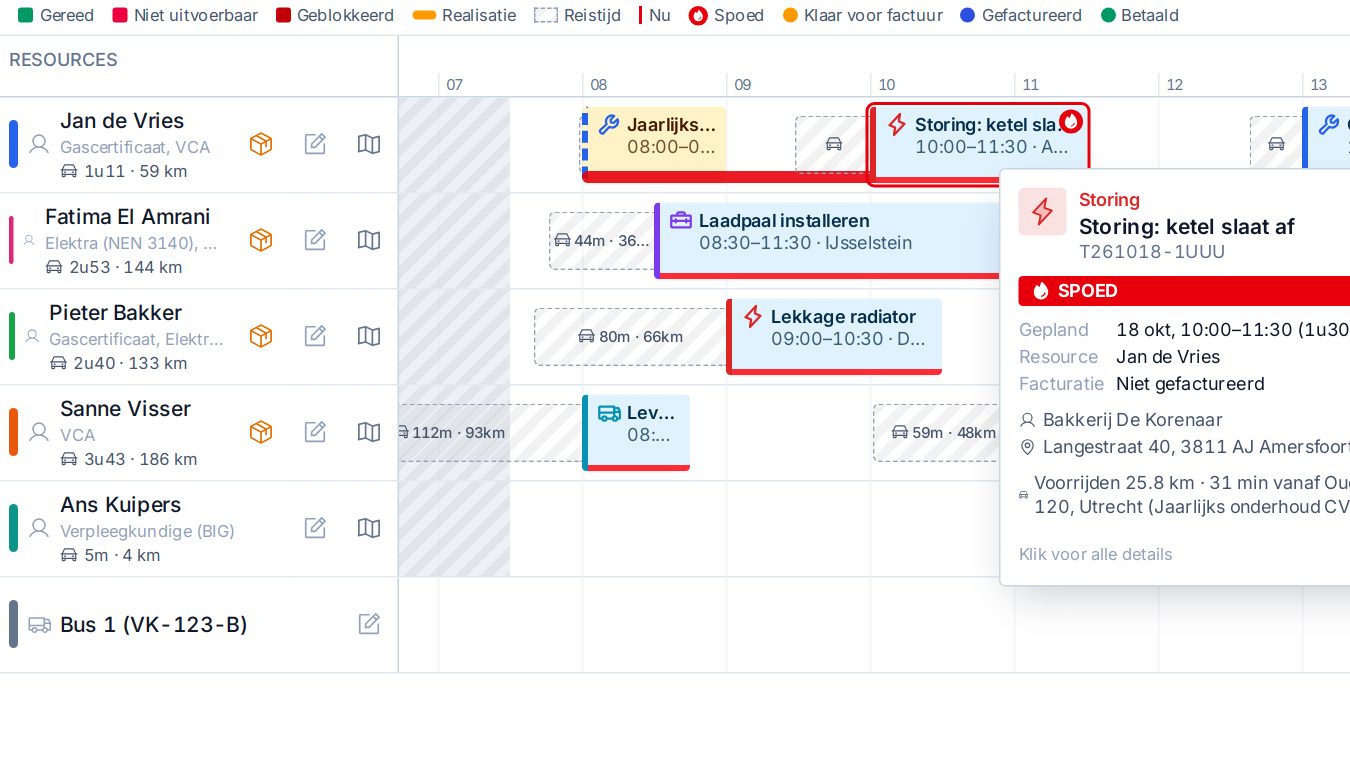
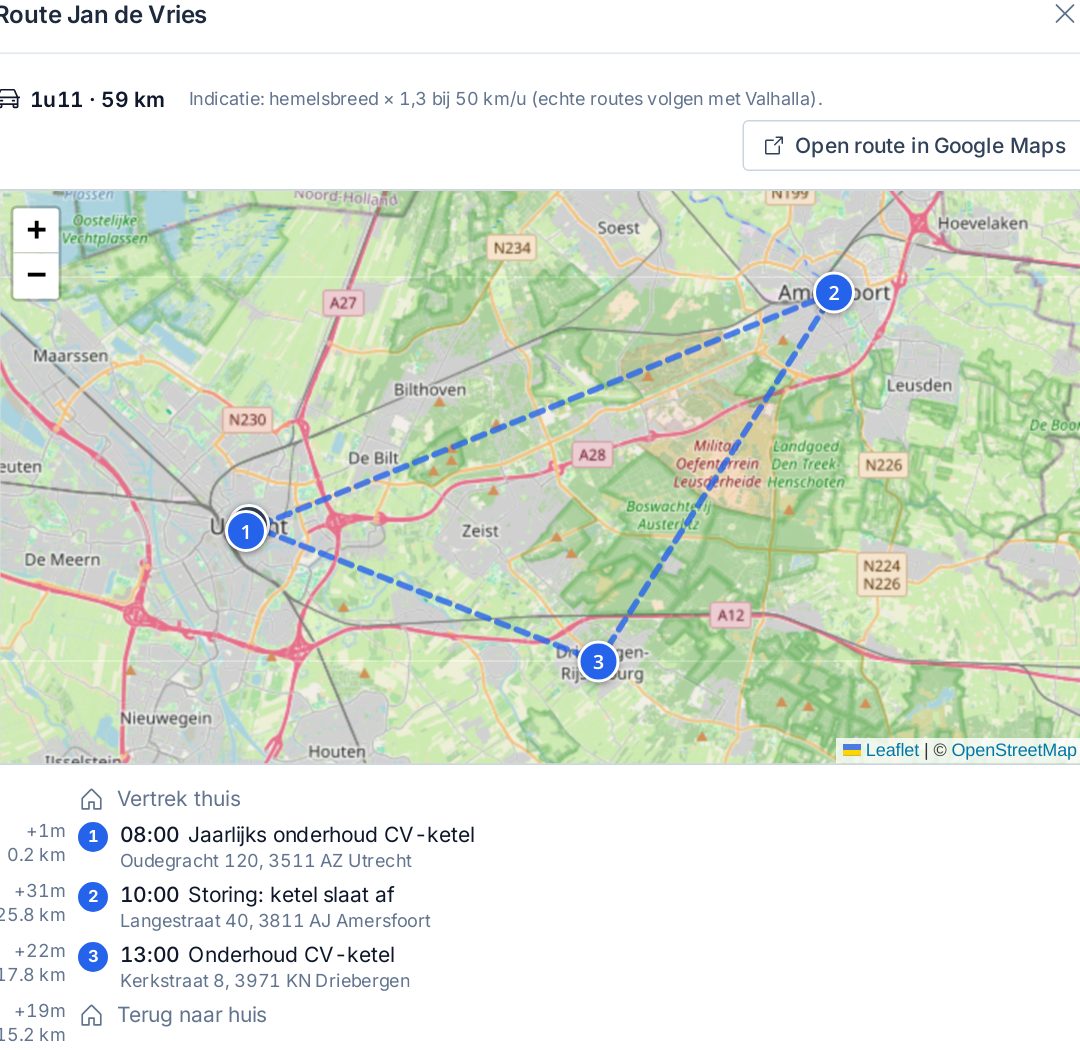
Every task tells its story: subject, customer, planning, billing and travel.The daily route per person with kilometres and travel time.
Everything you need to get the work done
Drag-and-drop planning board
Rows per person or asset, day and week view, now line, planned and actual side by side.
Crew app (PWA)
Big buttons, fixed order, runs on any phone and keeps working with poor reception.
Versioned checklists
Yes/no, numbers with limits, choices, photos and signature, with conditional questions.
Picklist & material
Tick off what to bring every morning; have missing material delivered to the site in one click.
Routes and travel time
Travel time and kilometres per person per day, the route on the map and travel between tasks.
Smart suggestions
The first fitting slots based on skills, availability, dependencies and travel time.
Notes
Forgotten items, an extra stop or a deviation — from the board or the phone, live with the planner.
Time and billing
Time spent from actual actions, billing status per task and hourly rates per task type.
Realtime collaboration
Several planners at once; changes reach everyone within a second.
API and webhooks
Documented REST API with tokens per integration and signed webhooks for every event.
Rules in the system
Order, required questions and permissions are enforced on the server, not just on screen.
Multilingual
Dutch and English for planners and crew, ready for more languages.
And much moreRecurring tasks with time windowsLight, dark and custom themesNotes on days and tasksUrgency and billing visible on the boardYour own board layoutDutch and English
Works with what you already have
OneWorks is built to connect. Everything that happens in the app can flow to your other systems — and back.
REST API
Fully documented, with a token and permissions per integration.
Webhooks
A signed message to your own system for every event.
Exports
Material demand, expenses and mileage to Excel/CSV.
Accounting & invoicing
Billing status per task; integrations with accounting packages are prepared.
SMS & e-mail
Customer messages through your own SMS service and mail server.
Routes
Travel times and kilometres; routing on real roads is coming.
How companies use OneWorks
A few examples of how teams organise their work in OneWorks.
Laundry services
Pick-up and delivery rounds for hotels, care homes and households as recurring series with time windows. Drivers see their route with travel time; a photo and signature on delivery, and the number of bags or items as a measurement. Missed pick-ups show up as deviations automatically.
Bike maintenance (lease and fleets)
Annual services for lease bikes and company fleets are planned ahead per region. The mechanic has brand, frame number and battery info per bike as specifications, works through a fixed checklist (brakes, tyres, lights, battery test) and records the parts used.
Mobile bike repairs
A customer breaks down? It becomes an urgent task, with a smart suggestion for the nearest mechanic with the right skills. Can’t be fixed on the spot: “cannot carry out” with a reason and photo, the planner picks it up right away and schedules a pick-up.
Car detailing
Treatments at the customer’s home or business with fixed steps (wash, polish, coating) and before/after photos. Product use per treatment, the picklist for the van and a customer signature on delivery.
Sewer maintenance
Periodic cleaning and inspection of drains and pipes as a maintenance contract, and blockages as urgent escalations. The safety check blocks the start in an unsafe situation; measurements, camera inspection and report photos per location.
Home care
Medication twice a day and wound care on fixed days as series with a time window and a regular nurse. Qualifications are enforced; deviations and “client not at home” reach the planner right away.
Installation & engineering
Installation projects with dependent steps and weekly material, alongside breakdowns and maintenance. Specifications, drawings and manuals are attached to the task and always available in the field.
Frequently asked questions
Does the crew app work without internet?
The app keeps the day plan and what you fill in on the phone and sends it as soon as there is a connection again. Longer offline use and an App Store/Play Store app are planned next.
Can several planners work at the same time?
Yes. Changes reach everyone within a second; if two people change the same task at once, the second one sees the current state instead of losing work.
Can I connect OneWorks to my accounting or ERP?
There is a fully documented REST API with tokens per integration and signed webhooks. Integrations for invoicing, payments, SMS and stock are prepared as separate modules.
Where is my data stored?
OneWorks runs on its own server in Europe. Dates and times are stored in UTC and shown in your time zone.
How quickly can we start?
You set up people, task types, checklists and customers in the admin. With the example setup you are planning within a day.
Request a demo
Leave your details; we will show you OneWorks with your kind of work and set up a trial environment for you.
Maintenance — Maintenance rounds per region with travel time
Escalation & urgent work — Urgent marking and alerts for the planner